One bilingual system where finance, procurement, sales, people, projects and inventory agree with each other. Set up as your own deployment, in Arabic and English.
MUZN Unified Platform · Finance overviewSample data
Finance overview: collected, owed, overdue, and budget use by department.
Languages
Arabic (right to left) and English
Modules
Six core modules and four optional ones
Runs as
Your own deployment, in Saudi Arabia or on your own servers
Starts with
A demo, then a written proposal
MUZN Unified Platform
What it does
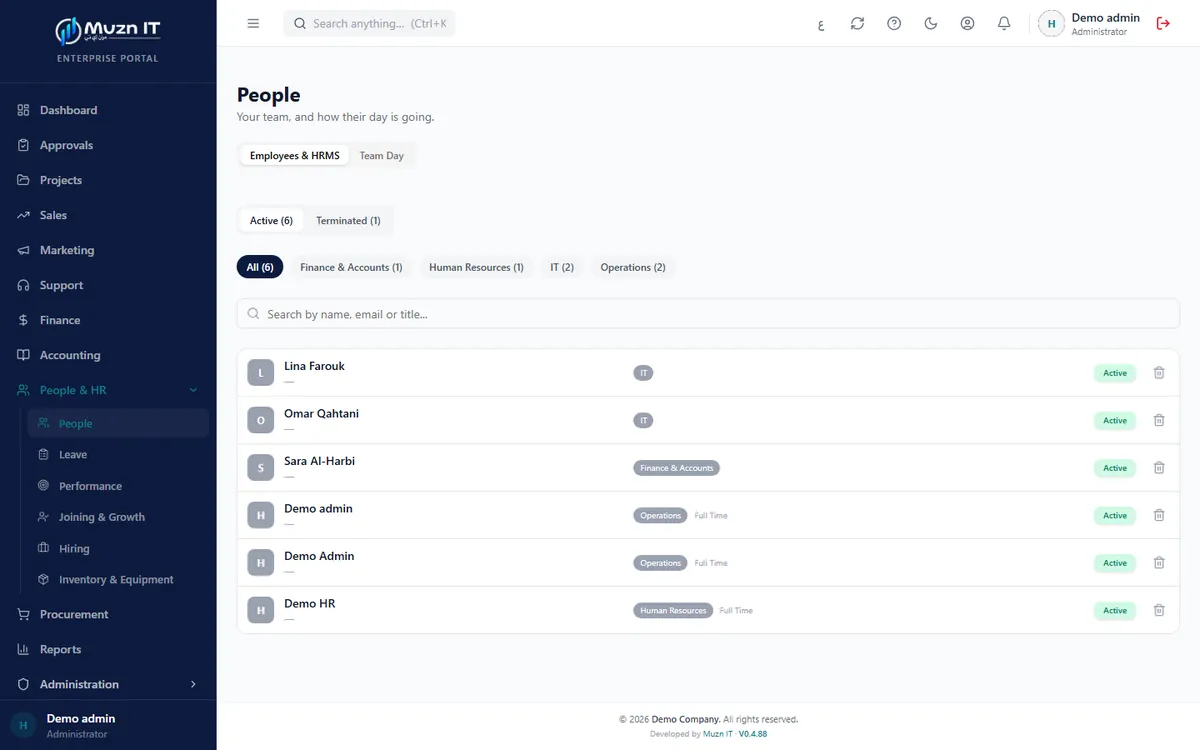
The MUZN Unified Platform is business software for companies that have outgrown spreadsheets and separate tools. Finance, procurement, sales, people, projects and inventory sit on one record, so a purchase order knows its budget, an approval is logged against a name and a time, and each person sees only what their role allows.
It is licensed by module for each company: a core of six modules, with further modules added when you ask. It runs as your own deployment with your branding, your data and your users, and every screen works in Arabic and English.
It replaces the spreadsheets and separate tools that finance, purchasing, HR and project teams keep in step by hand.
Modules
Ten modules. Buy one, or run them together.
Each module runs on its own and is quoted on its own. Add the next one when you need it.
Runs on its own, grows with you.
1
Start with one
Pick the module that solves today’s problem. It runs on its own in your deployment.
2
Add when you need
A further module is licensed for the deployment you already have, so there is nothing to move.
3
One record across modules
Modules you run together share people, roles and records: a purchase order knows its budget, and an approval is logged against a name and a time.
Your proposal lists exactly which modules are licensed for your company.
Approvals: everything waiting on the signed-in manager, in one list.
People & HR · HiringSample data
Hiring: open positions with department, location, status and applications.
MUZN Unified Platform
Who uses it
Different roles open the same system and see their own part of it.
Finance manager
Sees the month in one view: collected, owed, overdue, and what each department has left to spend.
Procurement officer
Raises purchase orders knowing the budget check runs before anyone is asked to sign.
HR manager
Keeps staff records, leave and approvals, and runs hiring, including the public careers page.
Operations lead
Knows which equipment is free and who still holds what should have come back.
Project lead
Runs the board, project budgets and one calendar that carries tasks, deadlines, leave and contract expiries.
General manager
Clears everything waiting for approval, from every part of the company, in one list.
MUZN Unified Platform
Across every module
What the modules above have in common. A module you do not license is not shown to your users.
Across the platform
Approvals that follow your delegation limits, with every change logged
Role-based access: each user sees only what their role allows
Arabic and English with full right-to-left layouts
Portals for clients, vendors and freelancers, and a public careers board
MUZN Unified Platform
Deployment and hosting
Each client has its own deployment. Nothing is shared between clients: not the database, not file storage, not the domain.
Hosted by MUZN IT in Saudi Arabia
We run your deployment on servers in the Kingdom. Support levels, response times and update schedules are written into your agreement.
On your own servers
The deployment runs inside your own infrastructure. Whether your IT team or ours operates it day to day is agreed in the proposal.
In a cloud region you choose
If your organisation needs a region outside the Kingdom, we deploy there. The proposal states the location.
MUZN Unified Platform
How a project starts
1
Demo
A call or a visit, using sample data, with the modules that matter to you.
2
Scoping session
We meet the people involved and confirm users, modules, data and hosting.
3
Written proposal
Itemised scope, milestones, timeline and support terms. Nothing is charged until you approve it.
4
Set-up, migration and training
We set up your deployment, migrate your records, train your team and go live with you.
5
Support
Support from the team that built it, on the terms written into your agreement.
MUZN Unified Platform
Questions about the Platform
Which modules are included?
Six core modules: People & HR, Projects & Work, Finance & Accounting, Procurement, Sales & Customers, and Inventory & Assets. Support Desk, Document Vault, Reports & Analytics and Marketing are optional. Your proposal lists exactly which are licensed for your company.
Does it run payroll?
No. Payroll, payslips, attendance devices, WPS and GOSI files are in MUZN HRM. The Platform’s People & HR module covers staff records, leave, hiring and performance.
Does it work with ZATCA e-invoicing?
Our invoicing is built to work with ZATCA e-invoicing requirements. The exact scope for your company, including which requirements apply and how invoices reach the authority, is confirmed in your proposal.
Is it available in Arabic?
Yes. Every screen and document works in Arabic with right-to-left layouts, and in English.
Where is the data hosted?
You choose: servers in Saudi Arabia run by MUZN IT, your own servers, or a cloud region you name. The deployment is yours alone.
Can we bring our existing records?
Migration of your records is part of set-up. Which records are migrated, such as customers, vendors, opening balances and staff, is listed in your proposal.
Can one deployment cover several companies?
A deployment is built around one organisation. If you run several companies, we discuss the structure at the scoping session and propose how to set it up.